When the Headset Goes Silent: Designing Haptic VR with Deafblind Users
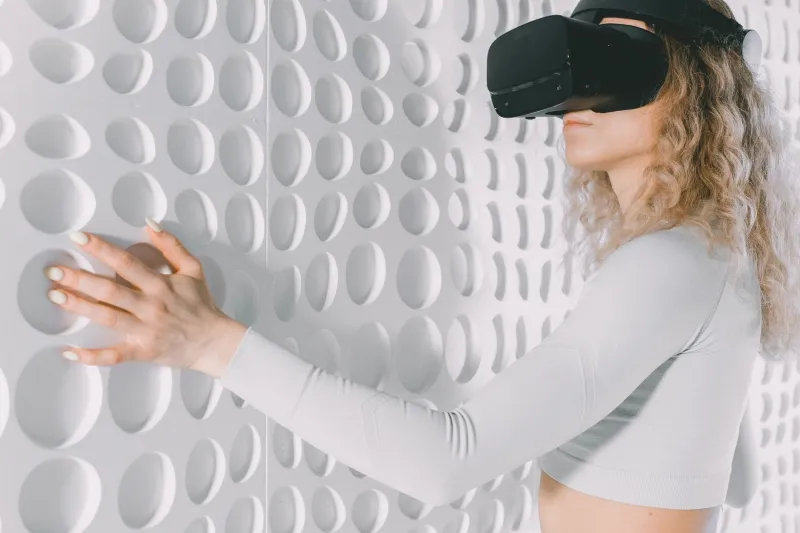
VR has a habit of introducing itself through the eyes. Put on a headset and the first thing most experiences do is show you something: a menu, a horizon, a pair of floating hands. Sound usually arrives next. For Deafblind users, that opening gambit is not just unhelpful — it can be the point at which the experience ends.
That is why a small but growing group of UK immersive designers is approaching haptics differently. Instead of treating vibration as a garnish for gun recoil or a rumble on a racing wheel, they are asking a tougher question: can touch become the main language of a virtual space?
Start with touch, not as an add-on
Deafblindness is a spectrum. Some people have residual sight or hearing; others have neither. The mistake many mainstream VR teams make is assuming accessibility means adding subtitles or a louder audio cue. For Deafblind users, the design has to begin with what can be felt through the skin and, where available, through bone conduction or limited hearing.
In conversations with accessibility charities including Sense and Deafblind UK, the same point keeps surfacing: co-design is not a nice extra. It is the only way to avoid building a headset experience that works beautifully in a demo and falls apart in a living room. One consultant put it bluntly: if the only way to find the menu is to see it, the design has already failed.
Three principles studios keep returning to
The first is redundancy. A confirmation should not rely on a single buzz. It might combine a short pulse in the controller, a change in pressure against the palm, and a spoken label if the user has enough hearing. The point is not to overwhelm; it is to give the user more than one route to the same information.
The second is rhythm. Haptics become useful when they form a grammar. A double pulse can mean ‘selected’; a longer, low-frequency thrum can mean ‘blocked’; a soft tick can mean ‘moved one step’. Random vibration is just noise. Consistent patterns become a language, and language is what makes a virtual space navigable.
The third is control. Deafblind users need to adjust intensity, speed and repetition without asking a sighted helper to dive into a settings menu. Designers in Manchester and London have been experimenting with controller shortcuts and simple tactile menus that let users dial feedback up or down in the moment. That sounds mundane. In practice, it is the difference between a tool and a toy.
Where mainstream hardware still gets it wrong
Consumer VR controllers are better than they were, but they are still built around sight. The motors are small, the range is limited, and fine pressure is mostly absent. A few studios are prototyping gloves and wearable bands, but cost, fit, battery life and hygiene all remain hurdles. A glove that works for one hand size in a lab is not yet a glove that works for a community.
Latency is another quiet problem. If a virtual door takes 80 milliseconds to ‘click’ under your finger, the illusion weakens. For Deafblind users, that delay is not just immersion-breaking; it can make a sequence of actions confusing. The best demos we have seen keep feedback tight and predictable, even if the visuals are simple.
Headsets themselves are heavy, hot and awkward for long sessions. Many rely on cameras and visual markers for tracking, which is fine until the user cannot see the setup instructions. Accessibility settings are often buried three menus deep, labelled with icons that assume vision. The hardware is not hostile on purpose. It is just designed for a default user who does not exist in the Deafblind community.
The charity test
Charities are increasingly acting as design partners rather than late-stage reviewers. Sense has been running workshops that put tactile feedback at the centre of storytelling, while Deafblind UK has pushed for clearer language around what ‘haptic accessibility’ actually means. The message is consistent: do not test with Deafblind users at the end and call it inclusion. Test with them at the start, when the interaction model is still soft.
That means accepting that some ideas will fail. A haptic vest that feels exciting to a sighted designer may feel like a confusing hug to someone relying on precise feedback. A spatial audio cue may be useless to a user with no residual hearing. The useful question is not ‘does this feel futuristic?’ but ‘does this help someone understand where they are and what they can do next?’
A quieter benchmark
There is something fitting about the fact that haptic VR for Deafblind users is being shaped in small studios and charity workshops rather than giant keynote demos. The quiet sense rarely gets the spotlight. But if immersive technology is going to mean anything beyond novelty, it has to work for people who experience the world through touch first.
The benchmark is not a flashy headset. It is a user who can put on a device, find the menu, move through a space, and know what just happened — without asking for help. That is a modest goal. It is also the one that matters.